> For the complete documentation index, see [llms.txt](https://docs.uiuc.chat/llms.txt). Markdown versions of documentation pages are available by appending `.md` to page URLs; this page is available as [Markdown](https://docs.uiuc.chat/features/bulk-export-documents-or-conversation-history.md).
# Bulk Export Documents or Conversation History
Your data is yours. Export it for detailed analysis of your user conversations, or to move to another service.
## Export all conversations from your project
To export all conversations, click Analysis then click Download.
Obtain *all* conversations that anyone has had in your project, including any and all users. Of course, only the Owner or Admins of a project can access these sensitive details.
### Data format
* If a user is authenticated when chatting, we include their email address. Otherwise `null`.
* The format mirrors OpenAI's Conversation spec, e.g. below. See OpenAI's docs for details .
* In addition, each `assistant` message includes `contexts` that were (potentially) used to answer the question. We always include a maximum of 80 contexts per assitant response.
```
# Data format modeled after Chat API https://platform.openai.com/docs/api-reference/chat/create
"model": "gpt-4",
"messages": [
{
"role": "system",
"content": "Your system prompt here"
},
{
"role": "user",
"content": "What is in these documents?"
}
],
... etc
```
### How to read Conversation History
```python
import jsonlines
import pprint
filename = 'myProject-convo_history.jsonl'
with jsonlines.open(filename) as f:
data = list(f)
print(len(data))
pprint.pprint(data[0])
```
Example of a single row:
```
{'convo': {'folderId': None,
'id': '03a9ffb3-5bde-4766-a4eb-66dff42ed8ac',
'messages': [{'content': 'Contrast Shakespeare against Kierkegaard..',
'contexts': [],
'role': 'user'},
{'content': , "While Shakespeare's works explore the complexities of "
'human nature through vivid characters and timeless '
"themes, Kierkegaard's philosophical writings delve "
'into the depths of individual existence, faith, and '
'the human condition, making them distinct yet equally '
'profound in their examination of the human '
'experience.',
'contexts': [{'base_url': 'http://kastanday.com',
'course_name ': 'test-video-ingest-21',
'pagenumber': '',
'readable_filename': 'Kastan Day – I '
'love coding, '
'drones and '
'podcasts.',
's3_path': '',
'text': 'Skip to content\n'
'I solve real world problems '
'with machine learning.\n'
'Swarthmore college president '
'Val Smith asked me to speak to '
'incoming students at '
'orientation 2019. View my talk '
'on startups, failure and '
'creating your own system of '
'happiness.\n'
'Working at NASA’s Autonomy '
'incubator, read about my work '
'here.\n'
'Currently\n'
'\n'
'Masters in Computer Science '
'from UIUC\n'
'Specialization in applied '
'machine learning, ML-ops, and '
'distributed ML training.\n'
'Expected grad May, 2023.\n'
'\n'
'National Center for\xa0'
'Supercomputing Applications '
'(NCSA)\n'
'Research Assistant, Oct '
'21-Present.\n'
'Funded by the NSF & IBM '
'Research.\n'
'\n'
'I implemented distributed ML '
'training on a GPU '
'supercomputer (25 Nvidia DGX '
'nodes, 200 A100 GPUs) to scale '
'up the research of domain '
'experts in biology and '
'physics.\n'
'\n'
'Distributed (HPC) Systems\n'
'Data & Model Sharding '
'Parallelism\n'
'Pipeline & Tensor Parallelism\n'
'PyTorch Lightning\n'
'Mesh Tensorflow\n'
'Ray.io\n'
'FairScale\n'
'Horovod\n'
'Dask\n'
'Docker\n'
}
]
],
'role': 'assistant'},
'model': {'id': 'gpt-4-0613', 'name': 'GPT-4-0613'},
'name': 'How did Kastan win argonne?',
'prompt': 'You are ChatGPT, a large language model trained by '
"OpenAI. Follow the user's instructions carefully. "
'Respond using markdown.',
'temperature': 0.4,
'user_email': 'kvday2@illinois.edu'},
'convo_id': '03a9ffb3-5bde-4766-a4eb-66dff42ed8ac',
'course_name': 'test-video-ingest-21',
'created_at': '2023-08-14T16:35:40.508062-07:00',
'id': 3476,
'user_email': 'kvday2@illinois.edu'}
```
## Export all Documents
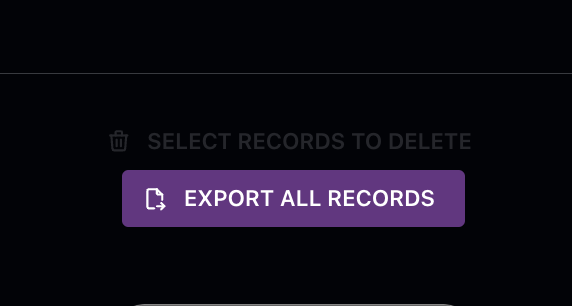
Export all documents from the bottom of the "Materials" page.
Download the post-processed text and vector embeddings (OpenAI Ada-002) used by the LLM. The export format is JSON Lines (.JSONL). To minimize data transfer costs, exporting original files (PDFs, etc.) is only available for individual documents.